Consult an expert
Send us a message and we'll contact you to start a conversation.
*For illustrative purposes only
Remote Engine Operation
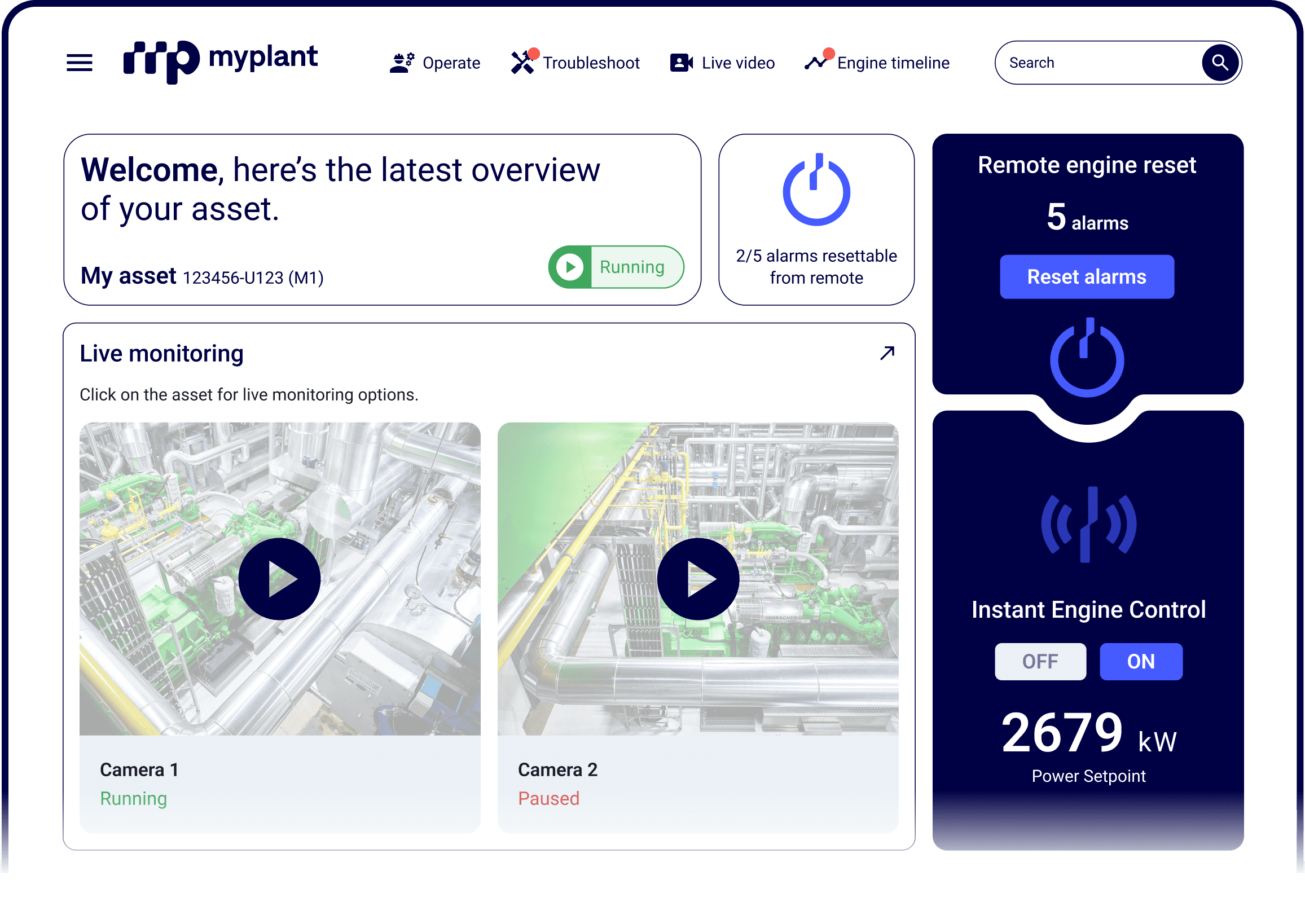
With myplant Asset Performance Management, you can monitor the health and status of your engines remotely. Remote Engine Operation goes one step further: it lets you act on them — directly from your smartphone or laptop.

Start and stop your engine and change its power setpoint.
Remotely acknowledge engine alarms through a safety-centered auditable workflow.1
Access real-time engine data trends along with a live video stream from cameras on site.
Experience platform independence — Remote Engine Operation runs in your browser, with no software to install on your laptop or smartphone.
Review every remote operation on your engine in a single timeline view.
Facilitate faster remote support from INNIO Group by sharing the same tools used by our technicians.
1-second resolution engine data4
Plan your engine operation (start, stop, and desired power output) in advance.
Receive notifications about upcoming planned operations.
Remote control works without additional hardware. The optional myplant Connectivity Box (myCoBo), installed at the engine, adds live engine data and video from connected on-site cameras.
| Standard | With myCoBo | |
|---|---|---|
| Remote start, stop and setpoint control | Included | Included |
| Remote alarm acknowledgement | Included | Included |
| Timeline of remote operations | Included | Included |
| Real-time engine data (1-second resolution) | Not included | Included |
| Live video from on-site cameras | Not included | Included |
Send us a message and we'll contact you to start a conversation.